Visual Timeline
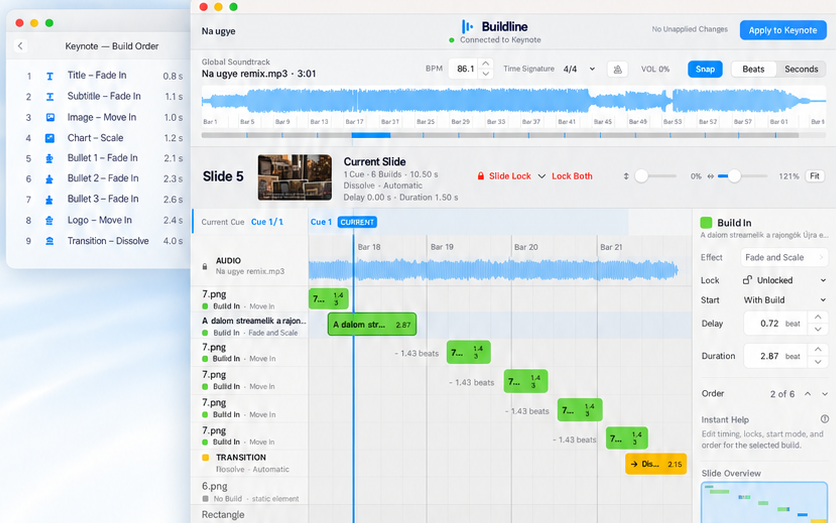
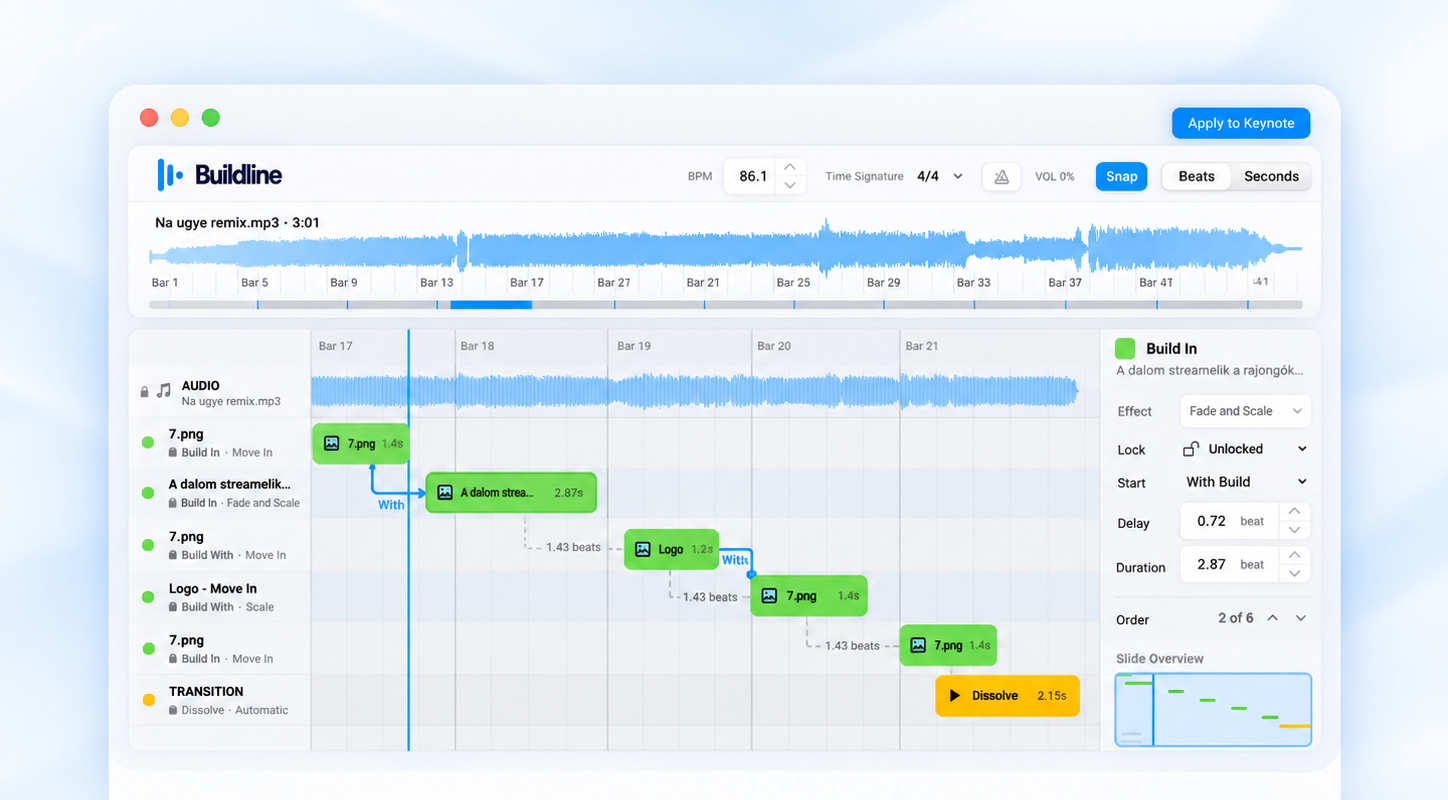
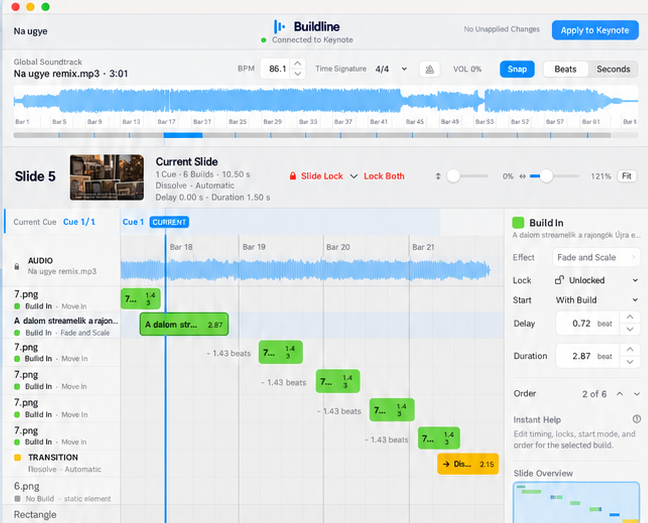
See builds, transitions and timing relationships on a single editable timeline.
 Buildline
Buildline adds a visual timeline to complex Keynote workflows — making builds, transitions, audio and rhythm easier to see, adjust and manage.
As presentations become more complex, timing disappears behind dialogs, delays and build orders. Add music, beat alignment or tightly choreographed transitions, and even small changes can become difficult to manage.
Buildline turns Keynote animation timing into a visual workspace. It is designed to complement Keynote, not replace it.
See builds, transitions and timing relationships on a single editable timeline.
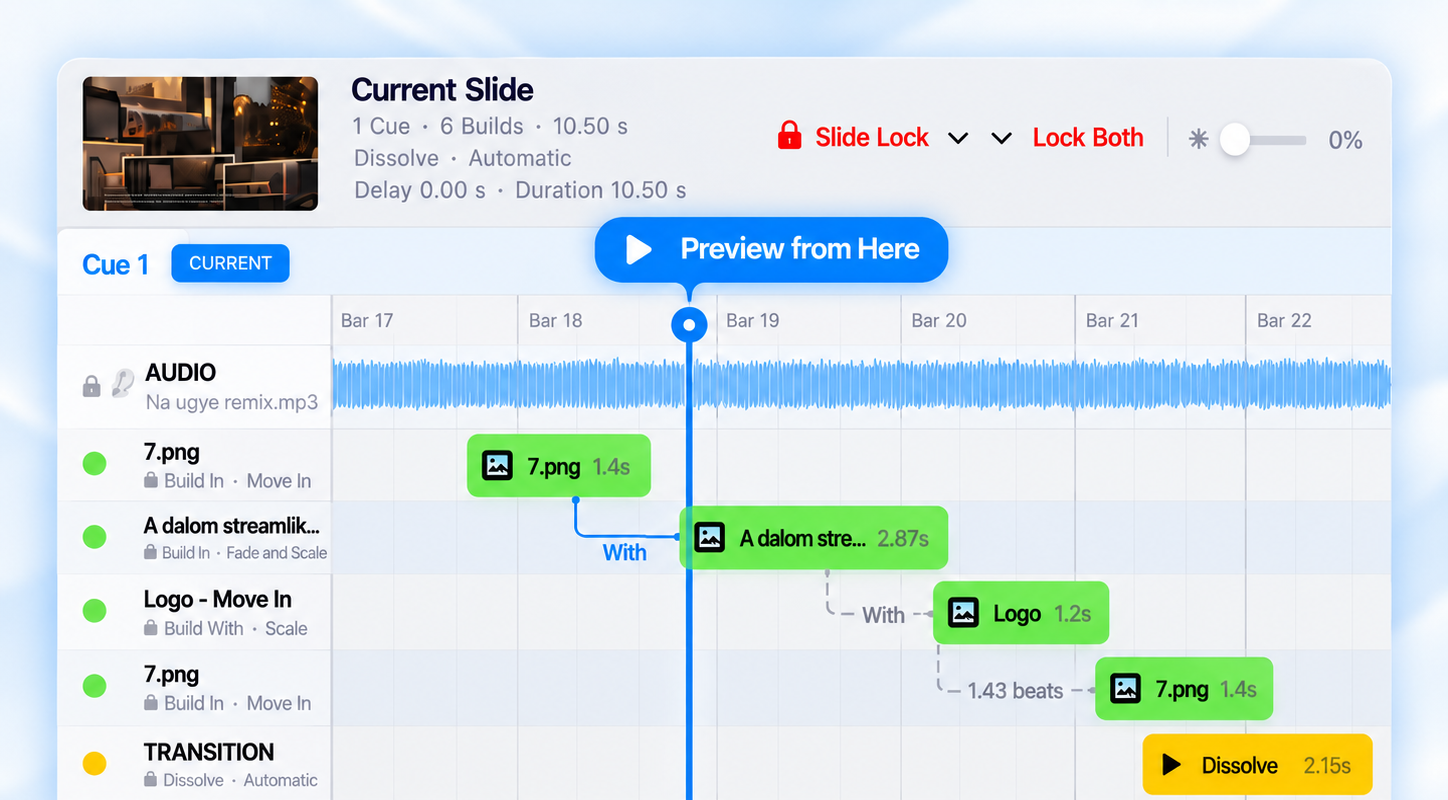
Jump into the exact point you want to check — without replaying the whole sequence from the beginning.
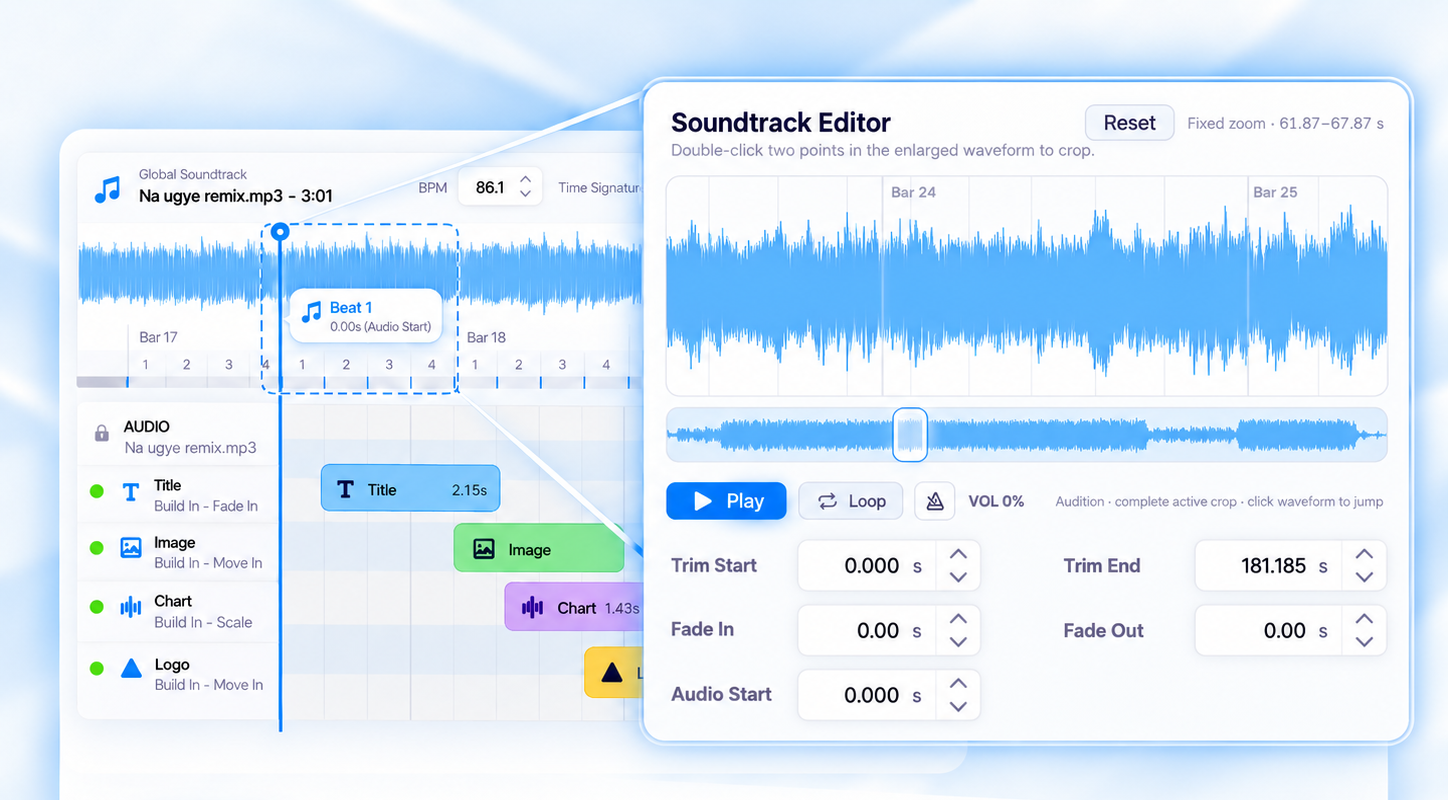
Use waveform, BPM, beat grid and Beat 1 offset to keep animation aligned with the soundtrack.
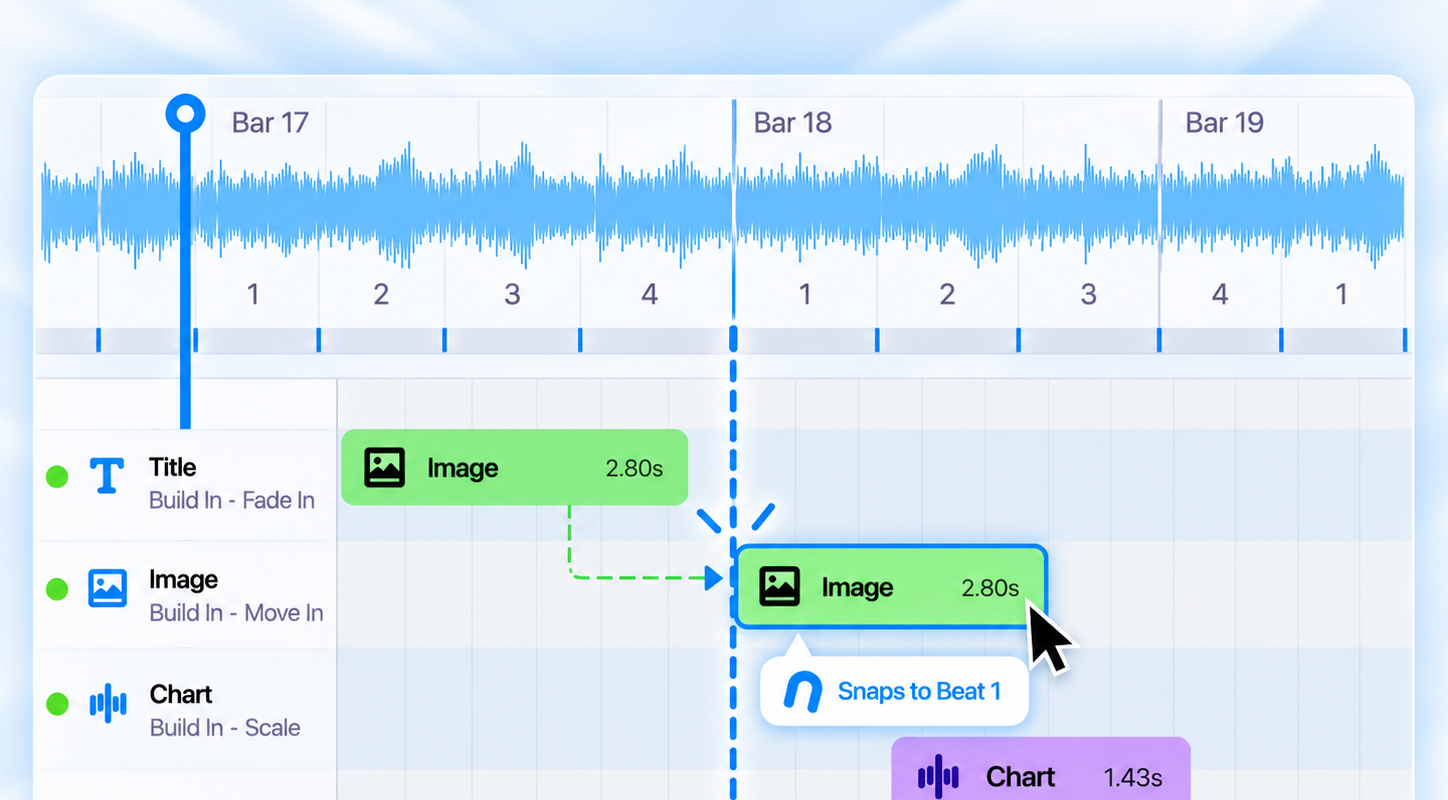
Switch instantly between beat-based and time-based editing, and snap timing exactly where you need it.
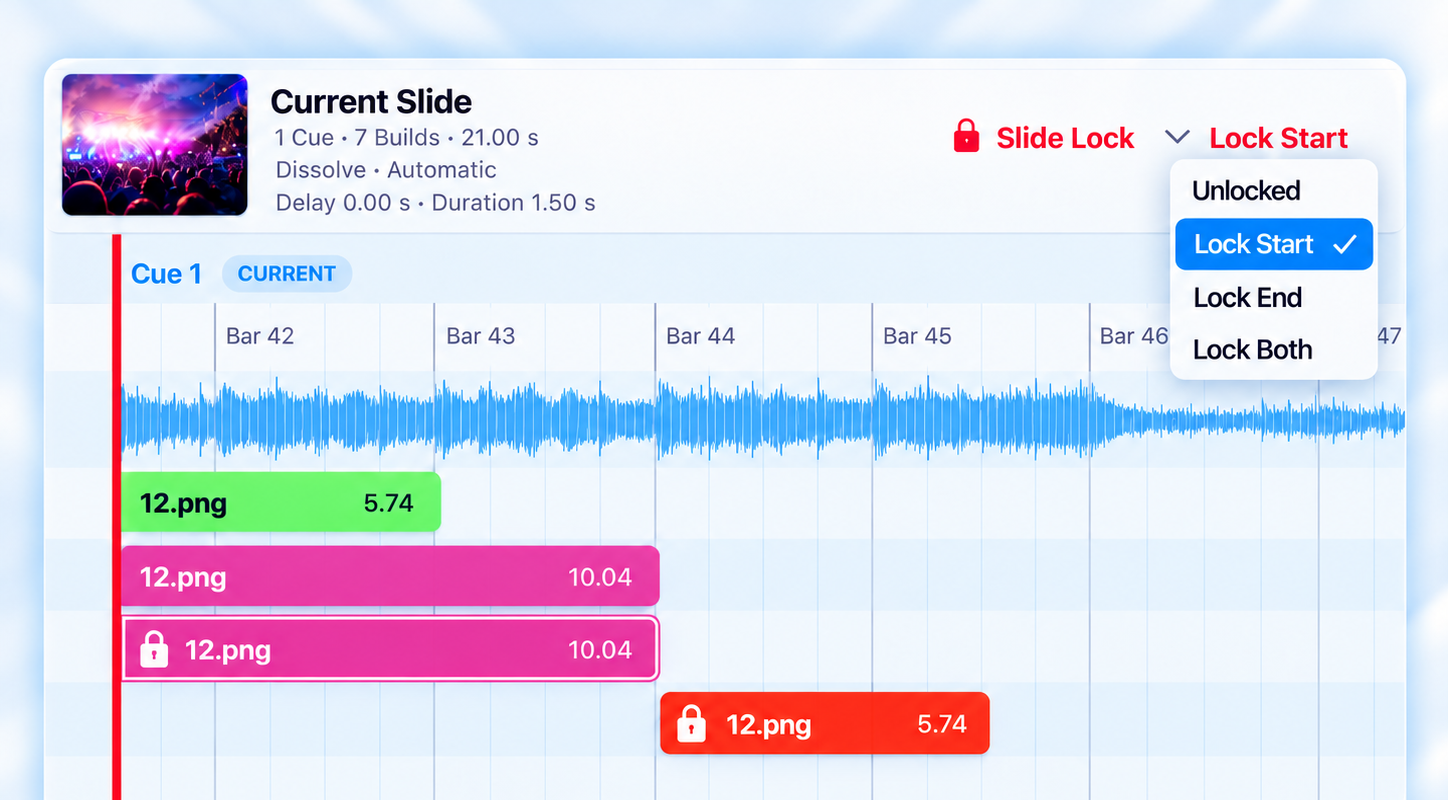
Keep critical timing boundaries fixed while refining the rest of the sequence.
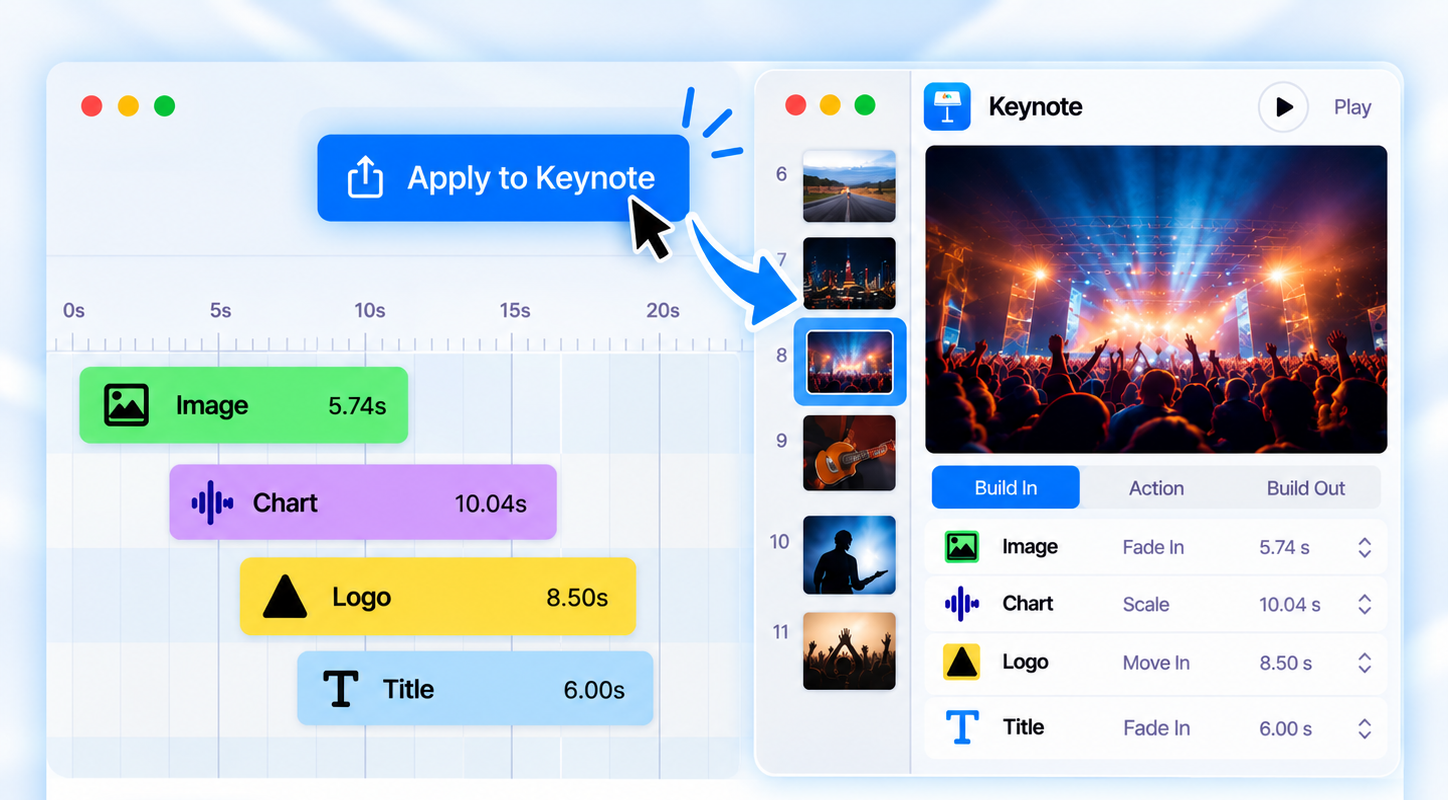
Edit timing visually in Buildline, then apply those decisions back to the presentation.
The little workflow decisions matter too — especially when a presentation becomes large, musical or heavily animated.
Buildline started with a problem I kept running into in real Keynote work.
I’m Peter, a presentation designer from Hungary. After years of developing Keynote presentations, I kept running into the same limitation: once animation timing becomes complex — especially when it needs to follow music — the workflow gets much harder to manage than it should be.
Buildline is my attempt to make that process more visual, more controllable and easier to reason about. It is still in development, and I’m currently speaking with experienced presentation professionals to help shape it.
Buildline is still being shaped. If you work with complex Keynote presentations, I’d genuinely value your perspective.